Choosing a school management system: ten questions to ask before you buy
Before choosing a school management system and signing, ask these ten questions to see if it really fits a Syrian school, beyond the polish of its demo.
A school management system is often shown to a principal in a session of an hour or less. The screens look polished, the numbers are impressive, the contract gets signed, and then, three weeks into term, the school runs into problems the demo never touched on. The ten questions below help any leadership team choosing a school management system bring those gaps to light before signing a contract. They apply to any system you evaluate, and we answer every one of them for Shams at the end of this article.
What matters most when choosing a school management system?
The short answer: what matters most is that your leadership team tries the system for itself before buying, rather than relying on a guided sales demo. Sign in to a demo school as both a teacher and a parent, and check that it handles more than one currency, calculates quizzes and tests and produces report cards your way, reaches parents by text message, protects fees, salaries and past years, and keeps working when the power goes off.
1. Can you try the system without booking a session?
When the only way to try a system is with a sales representative in the room, you only ever see what the representative chooses to show you. Ask instead for a demo school filled with realistic data, and sign in with a teacher account and a parent account, not just the principal's. What a parent sees on their phone is what families will judge your school by.
2. Does the system handle more than one currency?
In our schools, some fees are set in dollars and paid by parents in Syrian pounds, or the other way round, and exchange rates can move during the school year. So it pays to ask about:
- The payment currency: is each payment received in the currency the parent actually pays in?
- Bank accounts: can the school assign a bank account to each currency?
- Financial reports: in which currency are the school's profit and loss shown?
3. Does the system support quizzes, tests and report cards?
Ask in detail how many tests a term holds, how much each one weighs in the final mark and how the report card is produced. Then ask to see a printed report card for a student in a certificate year. A system designed for schools in other countries may use their vocabulary rather than yours for things like sections and marks. That is a minor nuisance compared with a system that calculates results in a way your school does not follow.
4. How does news of an absence reach the parent?
If the answer is only "a notification in the app", ask how the news reaches a parent who has no smartphone, or whose internet has dropped. An ordinary text message reaches any phone, and it is the channel parents actually rely on.
5. Where is the school's data kept, and who can get to it?
Because your records will usually live on the company's servers, ask directly: does your school get its own separate database, or is its data stored alongside other schools'? Which of the company's staff are allowed to access it, and under what circumstances? And is it backed up regularly?
6. Does the data stay the school's property?
Ask this before you buy, not after: can the school get a complete copy of its data whenever it asks, and in what format?
7. What happens when the power goes off at school?
In our schools, this is a daily reality. A system that runs on the company's servers is not affected by a power cut in the school building: it keeps running, the accountant signs in from their phone, and parents follow their child's absences from home. It is also worth asking how well it copes with a weak connection and with older computers.
8. Who can see fees and salaries?
Sign in with a teacher account and check: can the teacher see students' fees? Do colleagues' salaries show up in a chart on the dashboard? Financial figures can leak from unexpected places when viewing permissions are applied to the screens but overlooked on the charts.
9. Can a finished school year be edited?
Past years' marks and fees form a record that should never change because of one wrong click. So ask: are previous years read-only? And who has permission to open them at all?
10. What does the subscription price include?
Ask exactly what the subscription covers: hosting, updates and backups, moving your existing data in, training, the app and text messages. A written quote that itemises what the subscription includes is far safer than a low headline price followed by surprise add-ons later.
A checklist for choosing a school management system, ready to copy
Copy this list and note the company's answer next to each question:
- Can we try the system on our own, with a teacher account and a parent account?
- Is each payment received in its own currency, and does each currency have its own bank account?
- Does it calculate quizzes and tests and produce report cards the way we do?
- Does news of an absence reach parents by text message?
- Does our school get its own separate database, with regular backups?
- Can we get a complete copy of our data whenever we ask?
- Does the system keep working when the power goes off at school?
- Can a teacher see fees or salaries anywhere?
- Are previous years read-only?
- What exactly does the price include?
How does Shams answer these questions?
- Trying it: the demo school is open to everyone, with accounts for leadership, the accounts office, teachers, students and parents.
- Currencies: the Syrian pound is the main currency, and the school can also use the dollar and others at exchange rates it sets itself, so each payment is received in its own currency and each currency has its own bank account.
- Marks: the school sets the weights of quizzes, tests and the exam, and Shams produces the report card from those same marks.
- Reaching parents: Shams sends ordinary text messages about absences, fees and marks, alongside an Android app.
- Data: every school gets its own separate database on our servers, we take care of regular backups, and we hand the school a complete copy of its data whenever it asks. The details are on the data and permissions page.
- Power: Shams runs on our servers, so it does not stop when the power goes off at school.
- Financial data: there is one permission for viewing fees and a separate one for viewing salaries, so the figures appear on screens and charts only for people who hold the right permission.
- Previous years: past years' data is read-only, and only people with permission to do so can browse it.
- Price: we send your school a quote that spells out what the subscription includes when you get in touch with us.
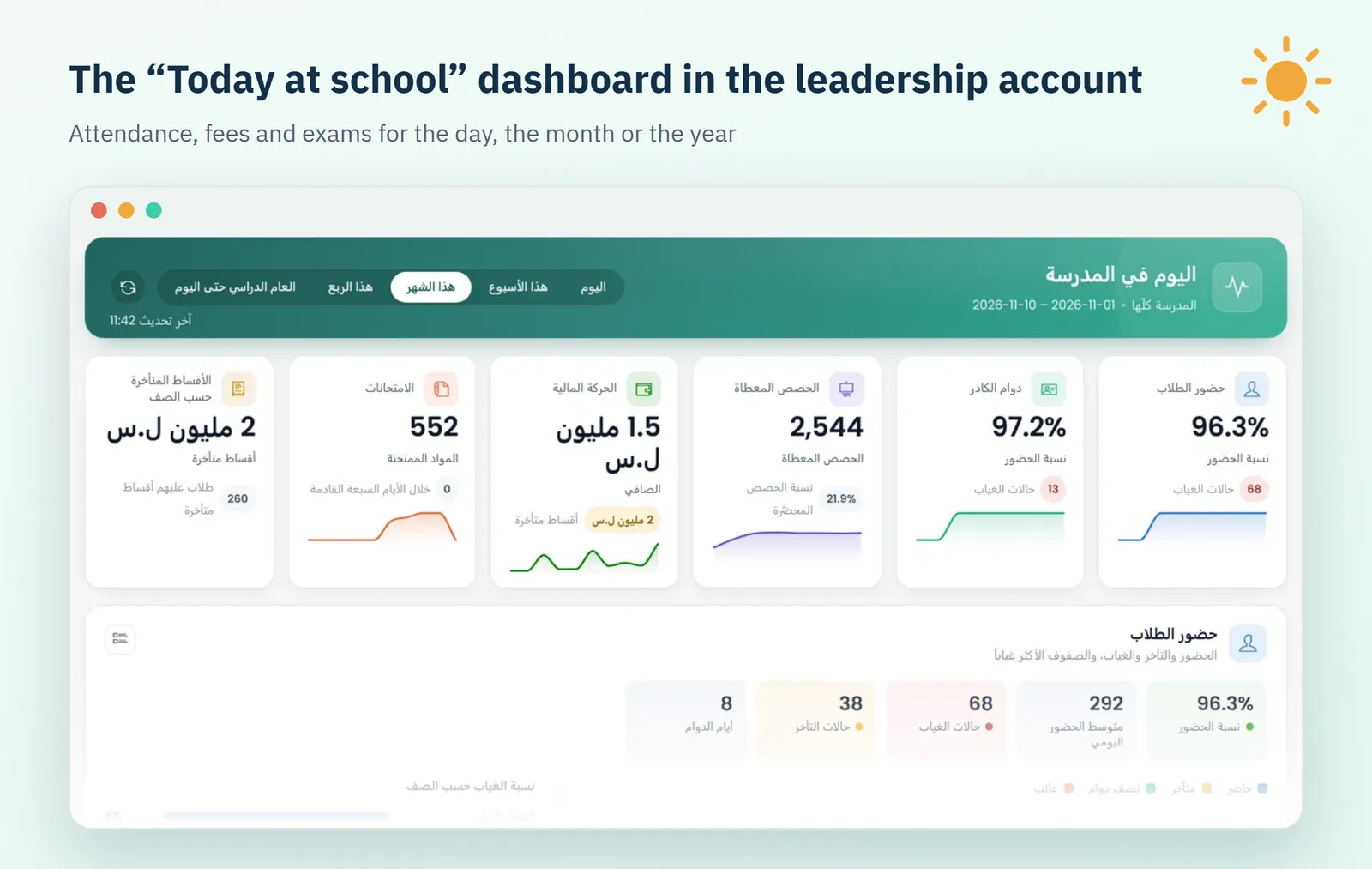
Start by trying the system now
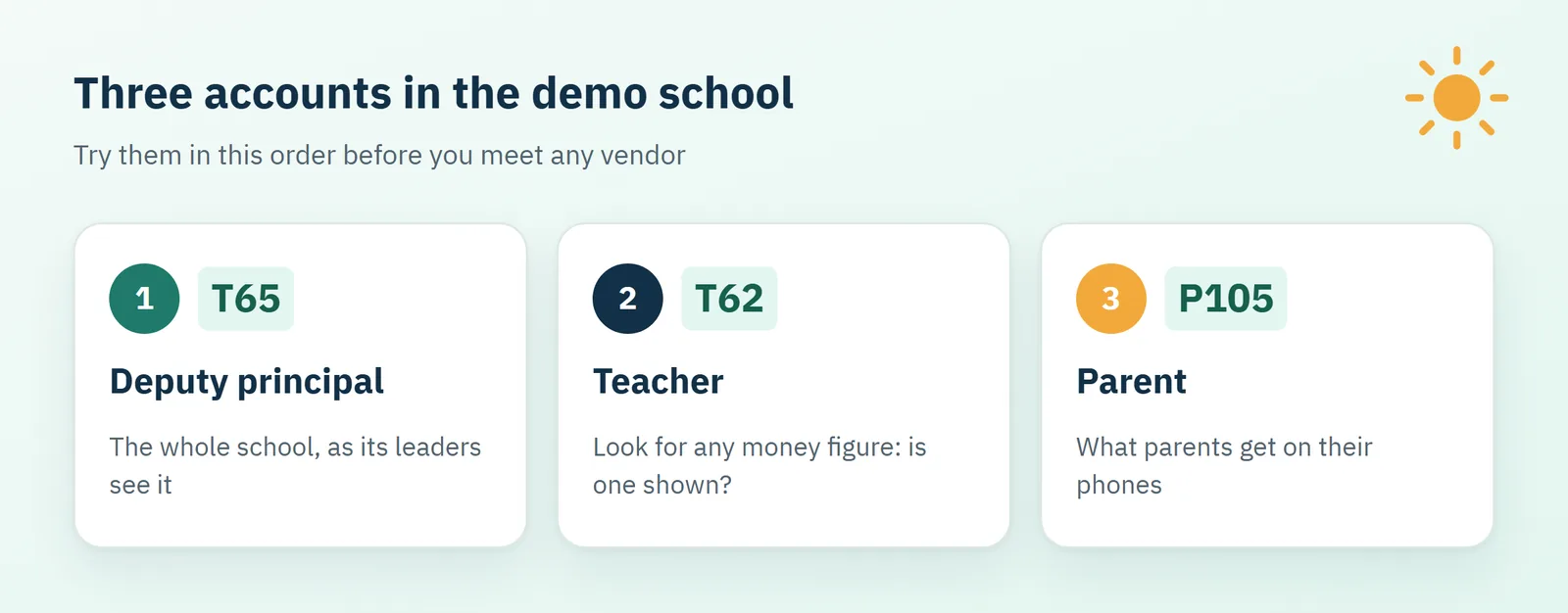
You do not need to book an appointment. Open the demo school with the deputy principal account T65, then sign in as a teacher with T62 and try to find any financial figure, and finally with the parent account P105 to see what families actually receive. Once you have tried it, you can request a quote for your school.